Delete your GoKalpa account
You can request deletion of your GoKalpa account and all associated data at any time, directly inside the app. No email or support request is required.
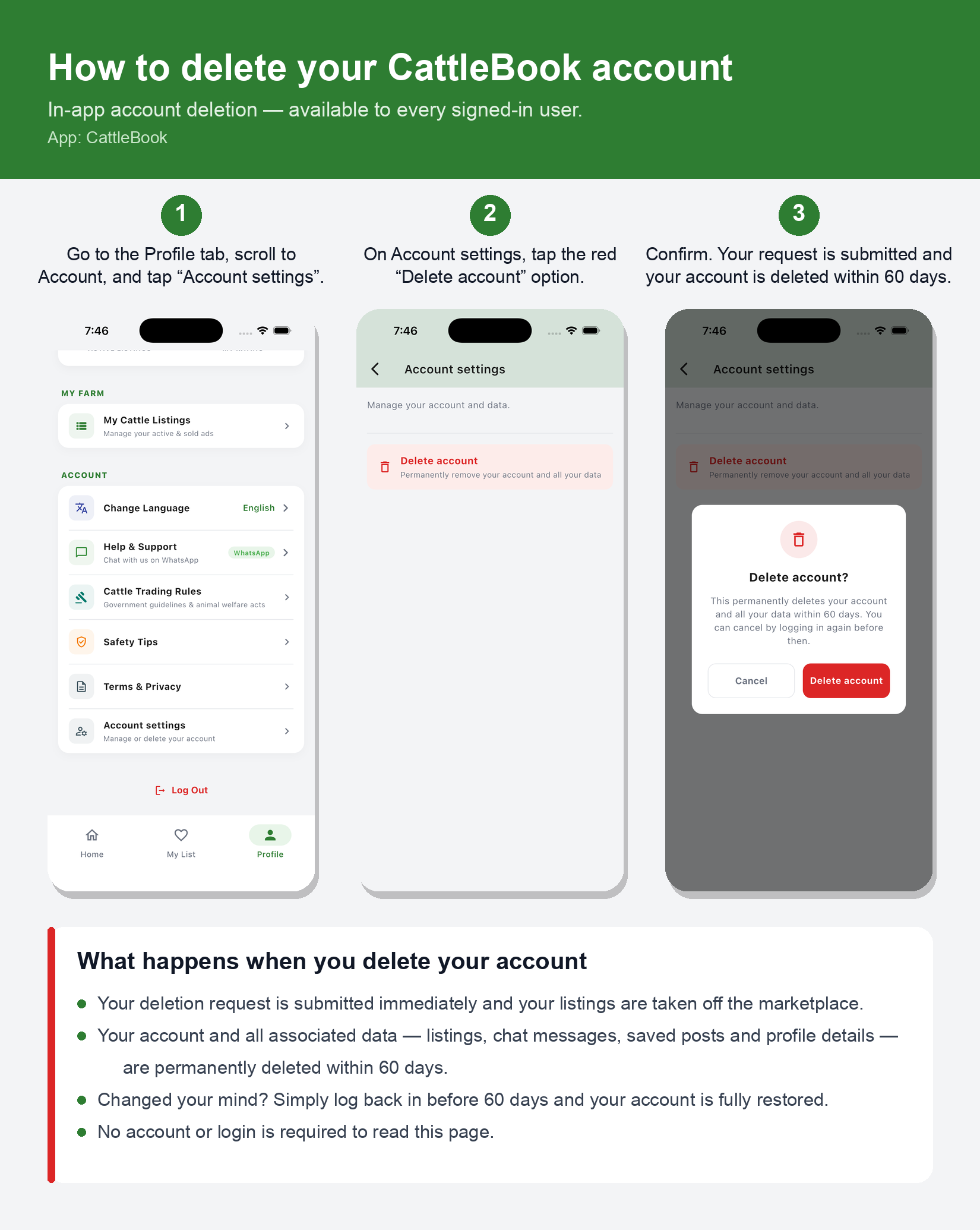
Steps to delete your account
- Open the GoKalpa app and go to the Profile tab.
- Under Account, tap Account settings.
- Tap Delete account.
- Confirm on the “Delete account?” dialog.
What is deleted, and when
- Your deletion request is submitted immediately and your listings are removed from the marketplace.
- Your account and all associated data — listings, chat messages, saved posts and profile details — are permanently deleted within 60 days.
- Data that we are required to retain for legal, security or fraud-prevention reasons may be kept for the minimum period required by law, then deleted.
Changed your mind? Simply log back into the app before the 60-day period ends
and your account is fully restored — nothing is lost.
This page describes the account-deletion process
for the GoKalpa mobile app (package com.cattlebook.app).